
The OWWA (Overseas Workers Welfare Administration) has started to provided OWWA Ecard to it’s OFW’s Family to help and support with benefits such as Scholarships Benefits, Training and other Benefits, The OWWA ecard has same benefits which you get from physical OWWA Card.
In this article you will find the complete guide on How to apply OWWA ecard online and in person, Follow the steps given below to know more.
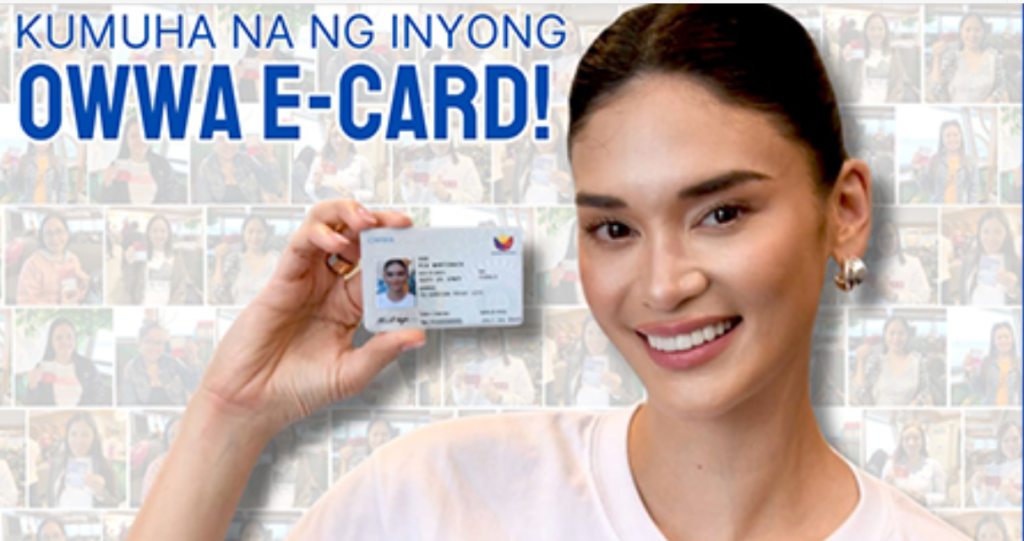
What is OWWA ecard?
The OWWA ecard is a digital identification card which is issued by the Overseas Workers Welfare Administration to it’s Members. it is a modern convenient and secure proof of Membership and active status of Overseas Filipino Workers.
OWWA ecard is a primary digital proof of active registered OWWA Member, Most important to get you are OWWA ecard now.
What are the Benefits?
- You will get Discount on Products
- Priority Access on OWWA Services
- OWWA ecard is used as an exit clearance when visiting other countries
- Instead of using OEC Paper
- OWWA ecard is now used as a OEC Paper
- OWWA ecard is a Government issued identification card can be used as identity.
- Access to Events and Programs
- Provide special promotions and offers
- OWWA ecard has same benefits as a OWWA Physical card
- Helpful to renew Passport, DFA will recognize OWWA ecard as a legitimate proof of id.
- in Partnership with
- UBE Express (Ultimate Bus Experience)
- CS Laundry
- Pure Gold etc.
- Other Benefits.
Note: The OWWA Membership Must be Valid for at least 90 Days from the date of application to get OWWA ecard.
How to Apply for OWWA ecard?
Following are the Steps to apply for OWWA ecard online:
- Visit the official OWWA ecard online portal – https://dubaiecard.owwa.gov.ph/
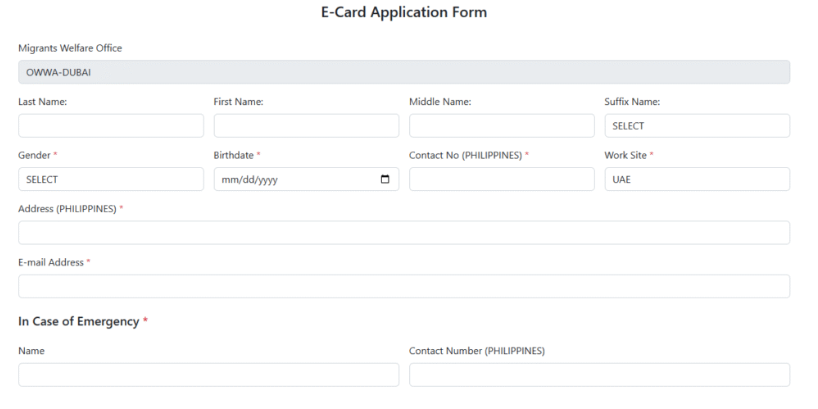
- Next Step you need to Enter Personal Details such as:
- You are Last Name, First Name, Middle Name and Suffix Name
- Enter you are Gender (Male/Female)
- Enter Your Date of Birth (DOB)
- Enter Personal Contact Mobile Number
- Full Address and
- Valid email ID
- Upload your signature
- Click on “Choose File” to upload signature
- Attach photo
- Agree the “Terms of use” or “Privacy Policy”
- Now click on Submit button
- Wait for the Notification
- You can pick Your OWWA ecard at you are preferred OWWA Regional Office after the Notification
How to Apply OWWA ecard at Airport Terminal 1?
It is a very simple process to apply for the OWWA ecard for a returning Filipino Workers who are arriving at the NAIA Terminal 1
3 Steps to Apply at Airport Terminal 1
- Enter you are personal information
- live Picture will be taken at Airport Terminal
- E-Signature will be Captured
Note: You can Print OWWA ecard on the spot and pick it up right away. very simple process and it is available only if you are at the OFW Lounge.
How to Apply at Regional Office?
To Apply OWWA ecard at Your nearest Regional Office follow the steps:
- First you need to visit Nearest OWWA Regional office or Satellite office
- Bring Valid Passport or Active OWWA Membership card
- Go to the Designated area for OWWA ecard application
- Fill with Personal information
- Submit the latest Photo
- Wait for the notification
- You will receive OWWA ecard instantly with the Digital ID Machines